The Outstanding Desk · AI video
Your photo. The Outstanding Desk. 15 seconds of AI video.
Upload one photo. We put you behind the mic at an intimate desk concert with a live band, ready for Reels, TikTok and Shorts.
- One photo in
- 15 s · 9:16
- Live sound
15 s · 9:16 · no watermark · credit back if it fails
Upload one photo
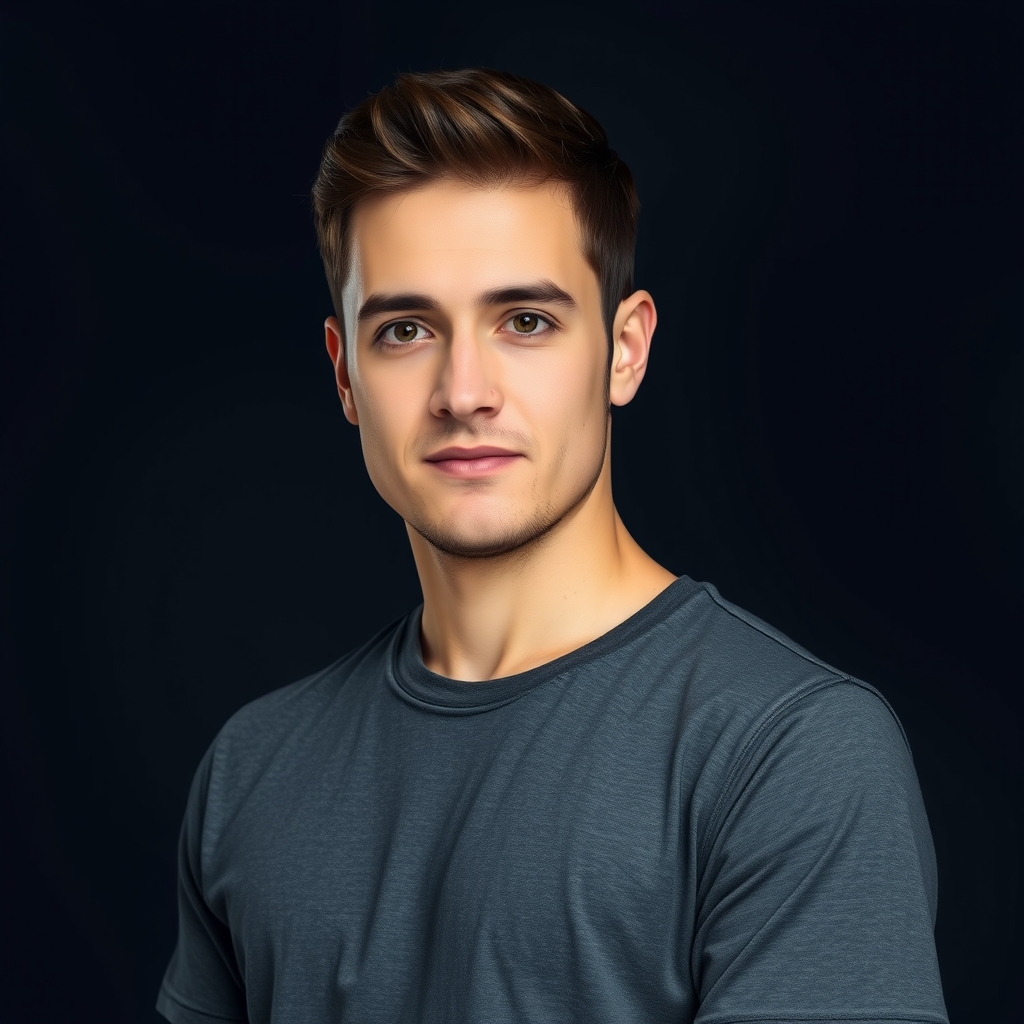
One adult, face visible. The uploader crops it to 9:16.
We build the set
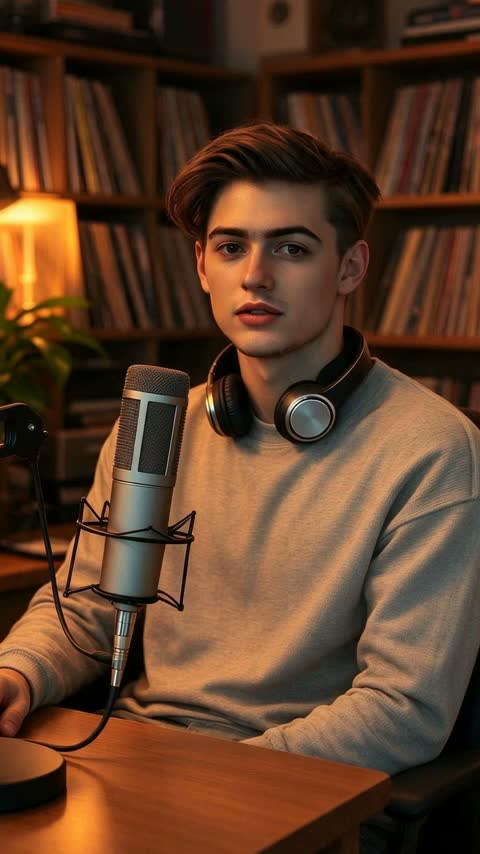
A warm studio desk, a mic and a live band around you, 15 seconds.
Download and post
The MP4 lands in My videos with sound. Post it anywhere.
One photo → one first frame
From your selfie to the stage.
We create a still of the same person behind the desk first, then animate one continuous performance from that frame. That is why the face stays consistent instead of cutting from a selfie to a studio.
- 15 seconds, 9:16, MP4
- Live sound, no watermark
- Credit back if the render fails
One video · one-time payment
$6.90. No subscription.
One credit covers one 15-second desk-concert video. It never expires, and a failed render puts it straight back.
Questions before you start
How long does a video take?
Usually a few minutes. You can close the page — the render keeps going and the video appears in My videos when it is ready.
Does it look exactly like me?
Close, not a perfect copy. A clear, front-facing photo with even light works best; sunglasses, side angles and group photos do not.
What if my photo is rejected?
The video model blocks some images, such as celebrity photos or shots with big logos. When that happens the render fails and the credit is refunded automatically.
Can I post the video?
Yes. You get a 15-second vertical MP4 with live sound and no watermark. Post it on TikTok, Reels or Shorts.
What is an Outstanding Desk AI video?
It is a one-photo video tool: upload a portrait, and the AI puts that person behind a microphone at a small desk concert with a live band. There is no prompt to write and no editing timeline.
Do I need a subscription or an account?
No subscription. You sign in so the video can be attached to your history, then buy one credit for $6.90. One credit is one video, and unused credits stay on your account.
Can I use a photo of someone else?
Only upload a photo you have the right to use, and only of an adult who has agreed. Do not upload celebrities, public figures, children, or images with large brand logos; the model may reject them and the credit is refunded.
Is this the NPR Tiny Desk?
No. This is an independent AI tool for a Tiny Desk–style intimate performance. It is not affiliated with NPR, and it does not use NPR footage or a real song.
What photo works best?
One adult, facing the camera, face clearly visible, even light, no sunglasses and no group. A plain background helps. You can crop to 9:16 in the uploader before generating.
More about the Outstanding Desk video generator
This is a single-purpose Outstanding Desk AI video generator. You bring one photo; the tool builds a short vertical clip in which that person performs as the lead singer at a small desk with a live band. There is no prompt box, no timeline and no editing skill required — the set, camera move and timing are fixed.
Every render is a 15-second, 9:16 MP4 with live sound and no watermark. The finished file stays in My videos so you can download it again later. The performance is fictional and original; it does not reproduce a real song, broadcast or artist.
Who it is for
Music fans and casual creators who want a ready-to-post clip without learning a video editor: a group-chat joke, a birthday post, a short for a music page, or a “what if” performance for your own timeline. The format is inspired by the Tiny Desk–style intimate concert trend, but this site is not affiliated with NPR.
Photo rules and honest limits
Upload one adult, facing the camera, with the face clearly visible. Avoid sunglasses, heavy filters, side angles, group photos and images with large brand logos. The result is an approximation, not a perfect likeness; some photos are rejected by the content filter and the credit is refunded automatically. Lips may not match the generated vocal exactly — this is an AI performance, not a recording of you singing.
Five tips for a better clip
- Use a recent, sharp photo with the whole face in frame.
- Face the light; avoid strong shadows across the eyes.
- Keep it to one person — groups confuse the identity step.
- Remove sunglasses, hats that hide the face, and filters.
- Crop tight; the vertical frame is what the model sees.